

How to track cartons from many shops into one container
The question a consolidation agent gets asked more than any other is some form of “where is it?” Where are the 80 cartons from the socks shop; how many are in the warehouse; are they in the container yet; did the container sail. The honest answer needs four numbers that always add up. This guide is about keeping them true.
Every carton is in one of four places
For any line on an order — 80 cartons of socks bought from one shop for one customer — every carton is exactly one of:
- Ordered — bought, not yet delivered by the shop.
- In the warehouse — received, counted, not yet loaded.
- Loaded — in a container, doors possibly still open.
- Shipped — the container is locked and gone.
The line is right when the four add up to 80. The moment they don't, somebody is about to be told a wrong answer.
Why they stop adding up
- The shop delivers 50 today and promises 30 next week, and the notebook says "received".
- Two cartons were crushed and refused, and only the driver knows.
- Twenty cartons were loaded from the wrong customer's stack.
- A quantity was corrected after the container sailed.
None of these is a fraud. All of them are a spreadsheet updated in one place and not the other.
Count at the door, against the line
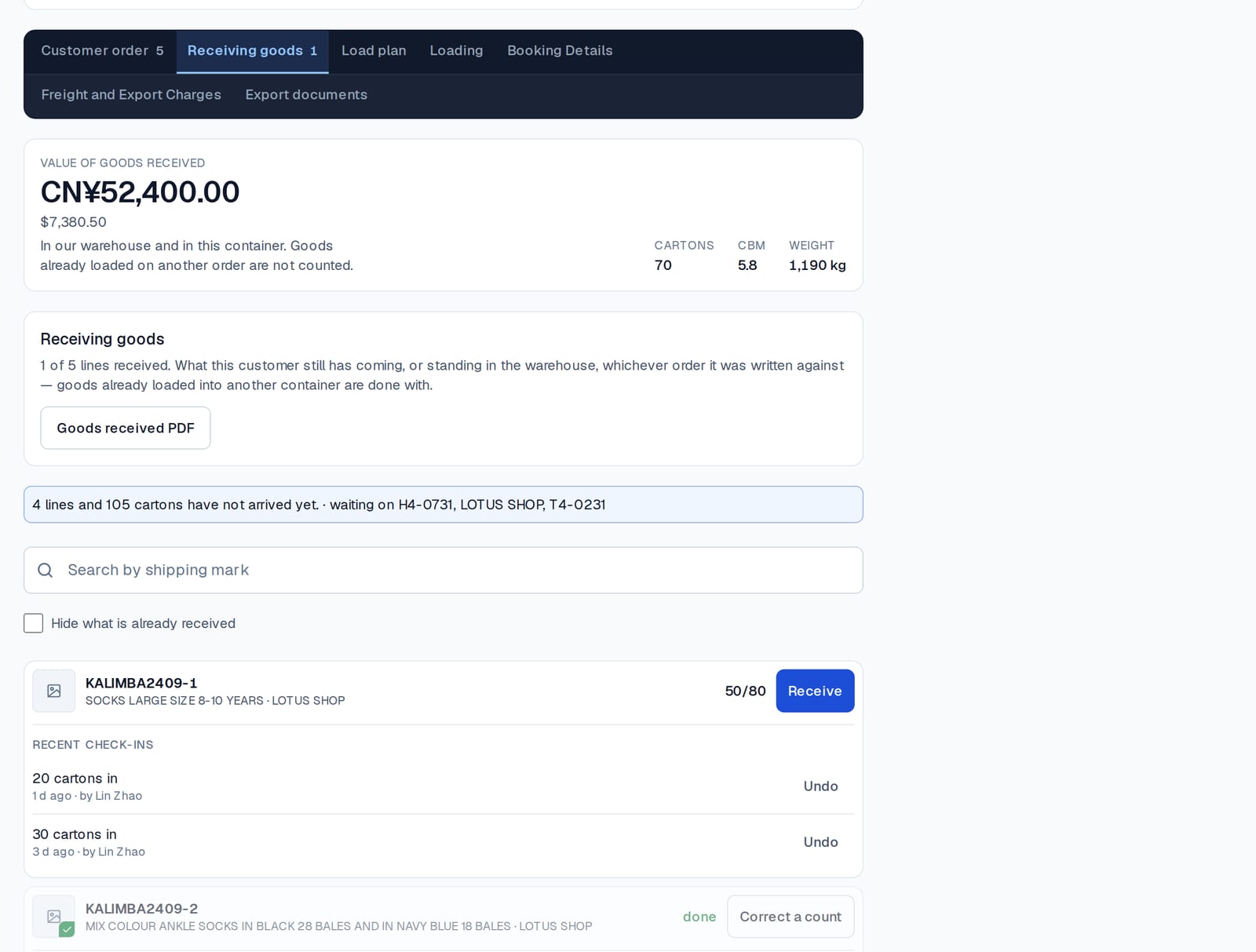
The only reliable place to count is at arrival, against the line the cartons were bought on. Consolly's Receiving screen does exactly that: the line shows 50 of 80, the file says which lines are still short and from which shop, and a second delivery of 30 makes the line whole. A count that turns out wrong is corrected on the line, with a name and a time.
The warehouse answers for every customer at once
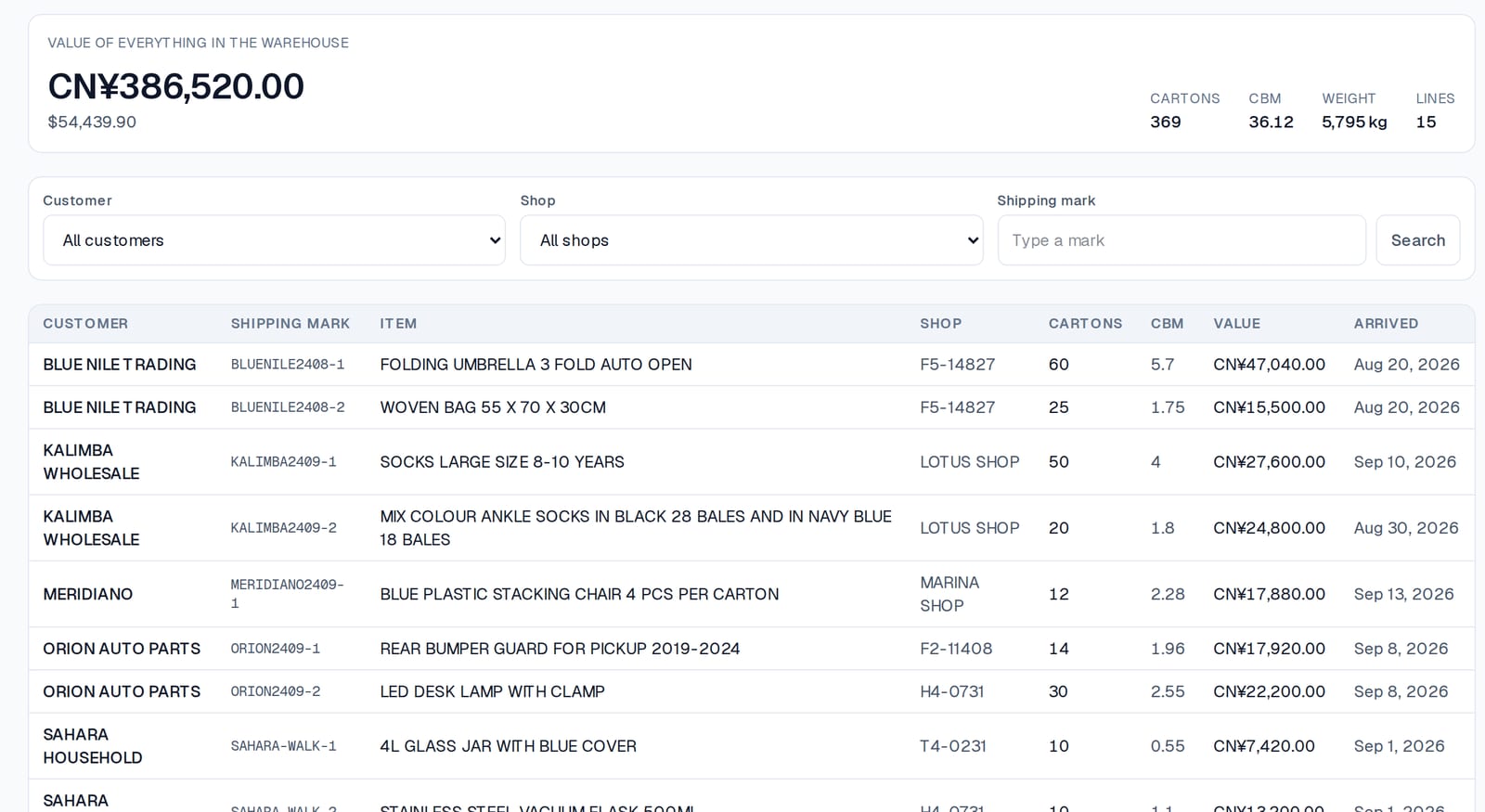
Because every carton was received against a customer's line, the Warehouse screen is a true picture at any moment: what is sitting there, whose it is, which shop it came from, what it is worth, how much space it takes. Filter by customer and you have their stock. Filter by shop and you have the shop's record.
Loading moves a carton, it does not retype it
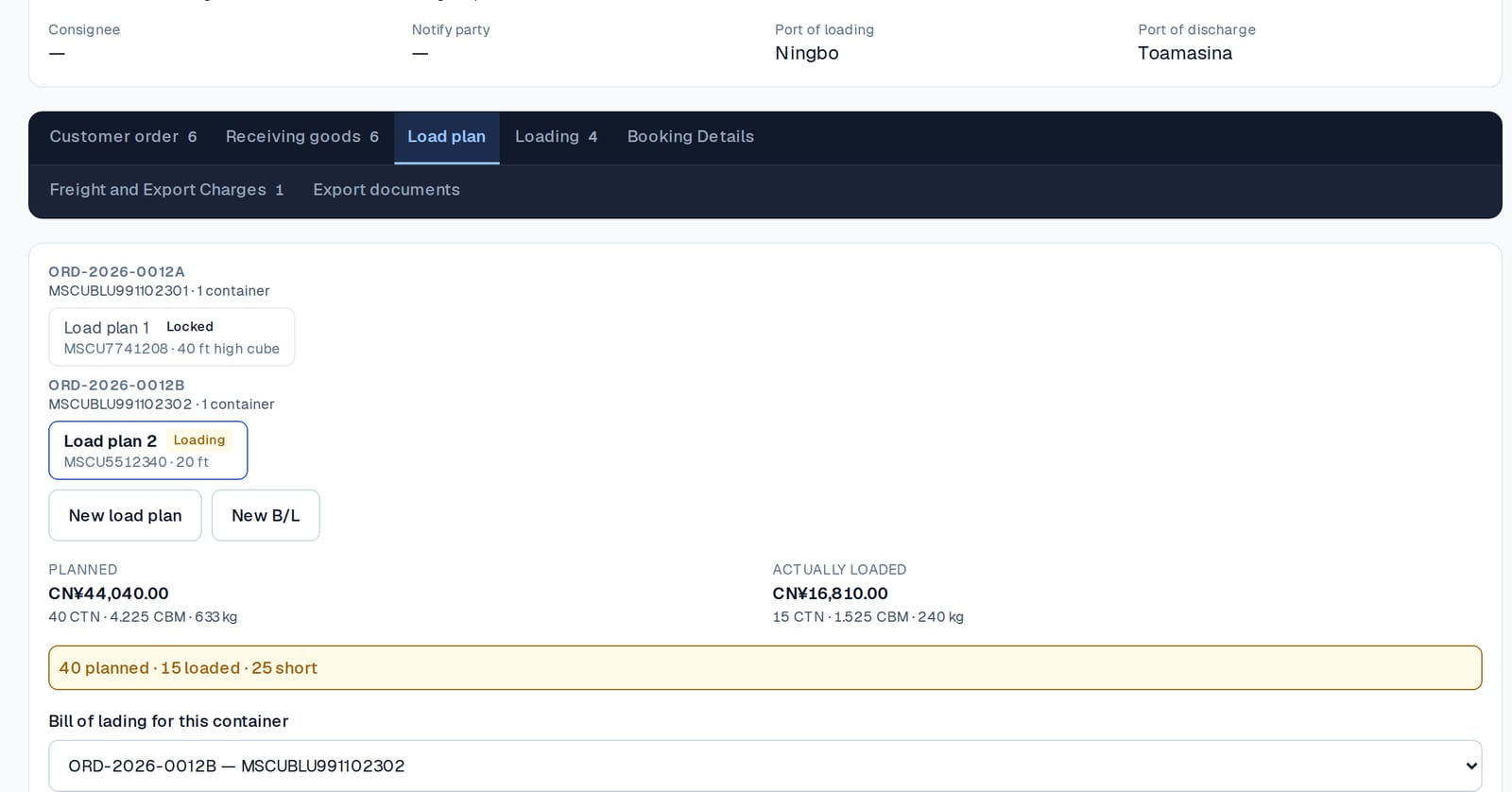
Loading is done from the customer's stock: pick the lines, enter how many cartons go into this container, and they move from “in the warehouse” to “loaded”. Take one out and it moves back. The planned quantity and the actual quantity are shown side by side, so "40 planned, 15 loaded, 25 short" is visible before the doors close, not discovered at the port.
The customer's own view
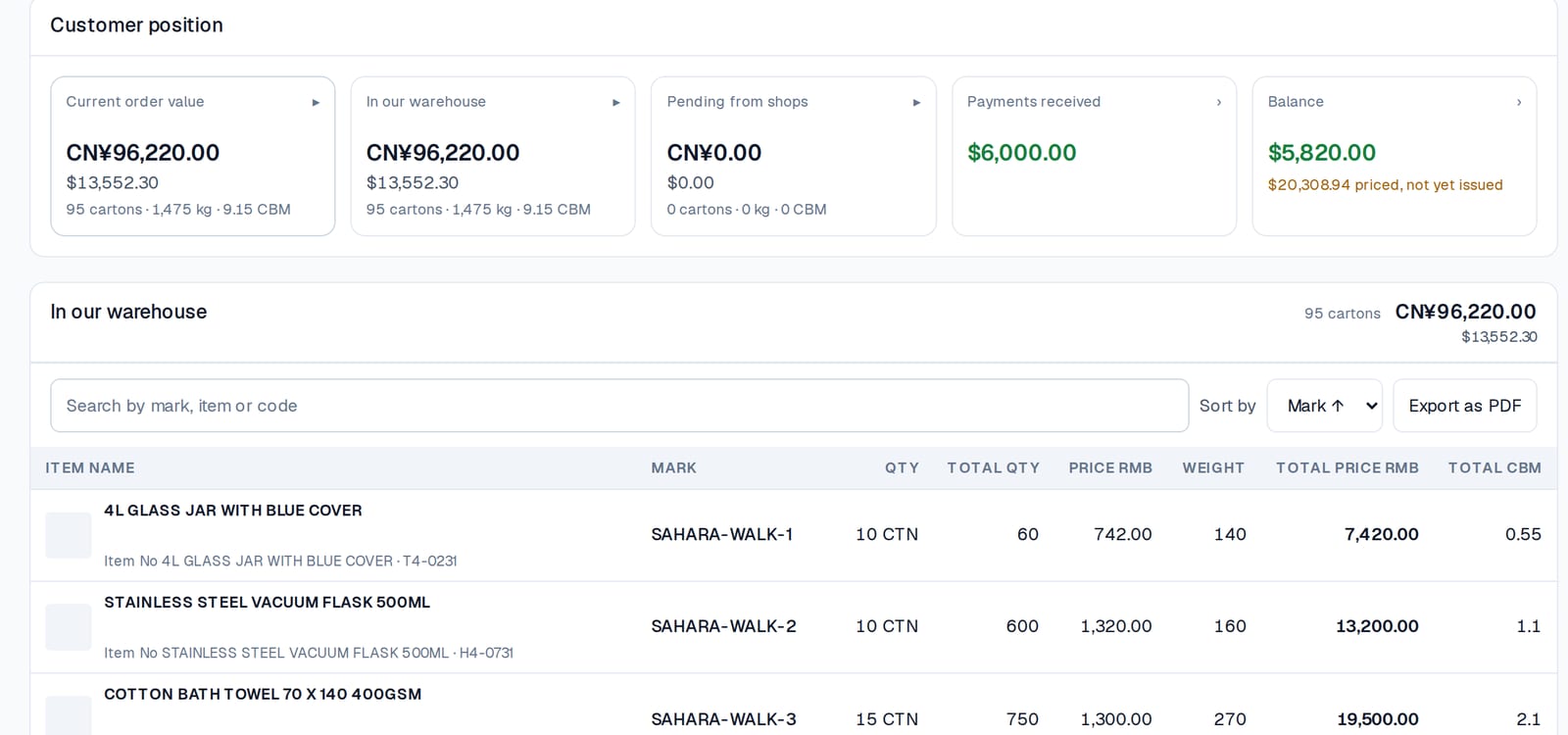
The customer wants the same four numbers for their goods, without ringing you. In Consolly every customer has a position — current order value, in our warehouse, pending from shops, payments received, balance — and can be given a link to their own order that shows the cartons themselves. The link is its own guide.
The rule that keeps it true
One count, taken once, at the door, against the line — and every later screen reads that count rather than asking for it again. Receiving, the warehouse, the load plan, the packing list and the customer's page are all the same cartons. That is the whole method; the software's job is to make it impossible to do otherwise.