

How to make a packing list for a consolidated container
A packing list for a container loaded from one factory is easy: one supplier, one item list, one set of measurements. A packing list for a consolidated container — cartons from twenty shops, bought for one customer over three weeks — is where agents lose evenings. This guide is about the second kind.
What has to be on it
The shipping line, the customs broker and the consignee each read a different part of the same sheet. Between them they need, for every carton or group of cartons:
- The shipping mark — the mark painted on the box that ties it to a line on the invoice.
- The item description, in the words the invoice uses.
- The number of cartons, and the pieces per carton.
- Gross weight and net weight.
- The carton size, and from it the volume in CBM.
- The container number and seal number it travelled in.
And the totals have to agree with the commercial invoice, the B/L and each other. A packing list that says 1,206 cartons under an invoice that says 1,260 is a container that sits at the port.
Why it drifts
The packing list drifts because it is usually written last, from several sources, by hand:
- The warehouse counted cartons in a notebook as they arrived.
- The office typed the invoice from the shop receipts.
- Somebody measured cartons for the CBM the day before loading.
- A shop delivered 30 short, and one of the three records was updated.
Each source is right about something. None is the packing list. Copying between them is where the 1,206 becomes 1,260.
Write it from the cartons, not from the order
The fix is to stop writing the packing list as a document and let it be a report of what was loaded. For that to work, the carton has to be counted once, at the moment it arrives, against the line it was bought on — with its pieces per carton, its weight and its size taken then.
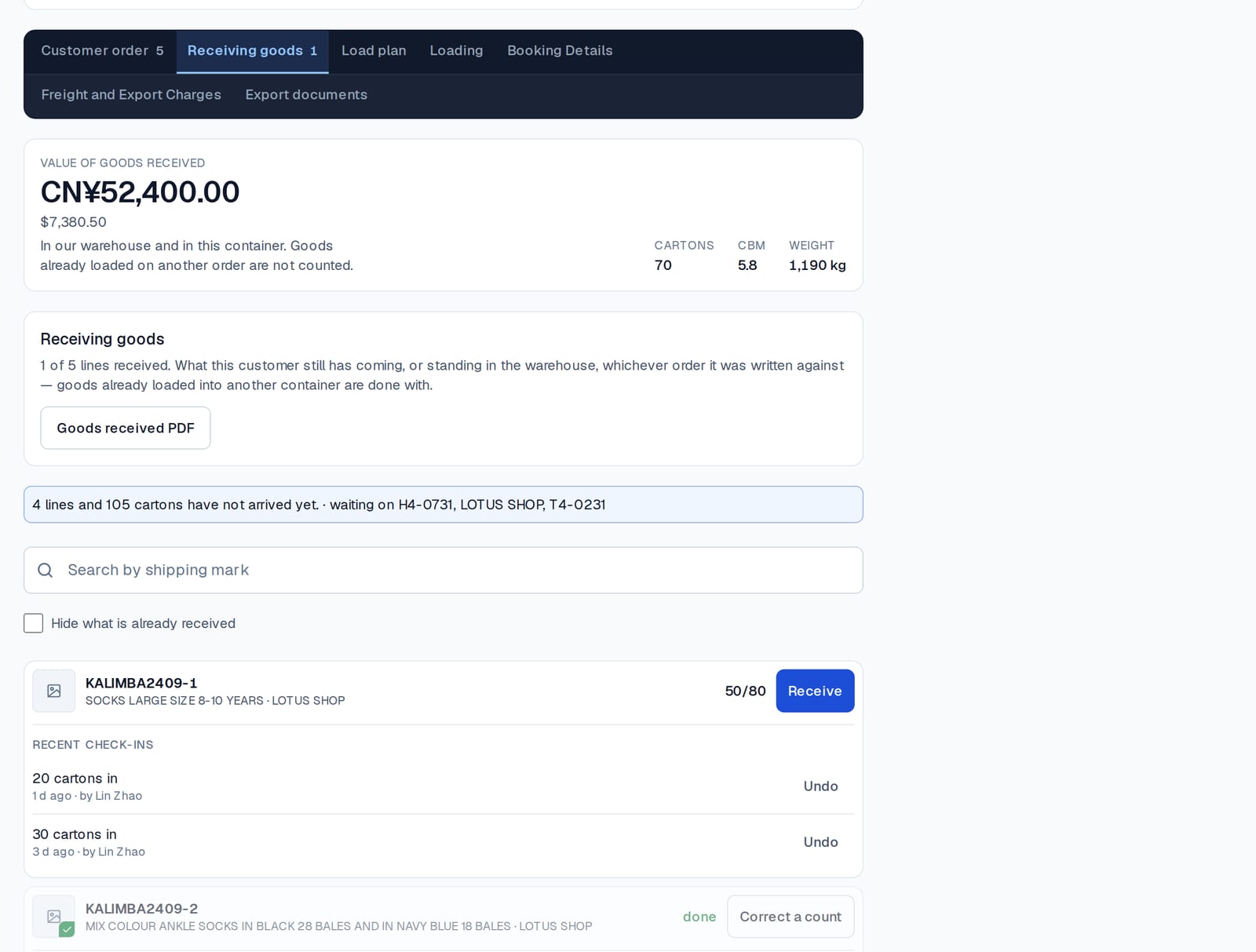
Then loading is recording which of those cartons went into which container. The packing list is simply every carton in this container, with the measurements it already has.
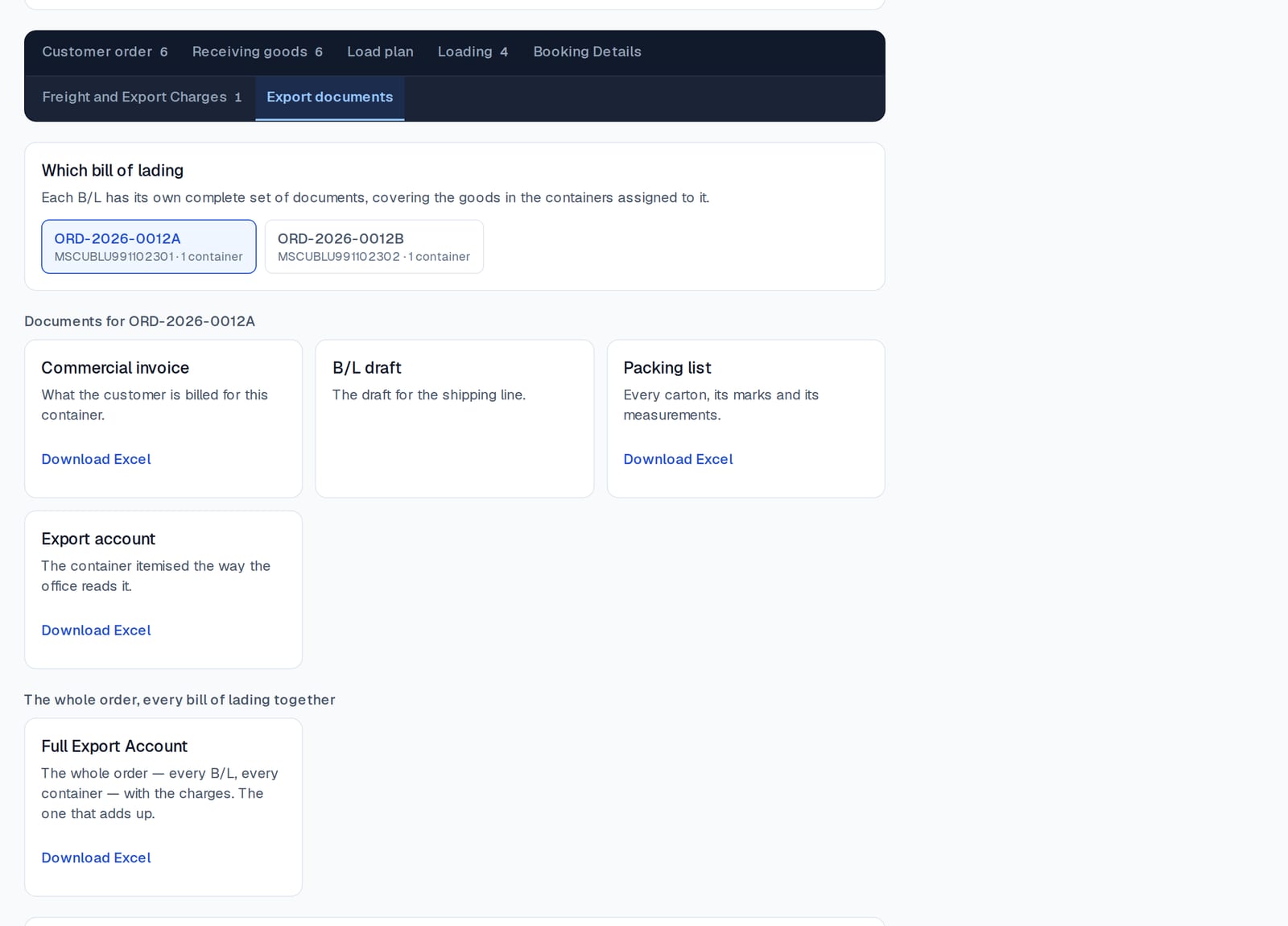
In Consolly that is what the Export documents tab is. For each bill of lading on the order it writes:
- the commercial invoice — what the customer is billed for;
- the B/L draft — the description of goods for the shipping line;
- the packing list — every carton, its marks and its measurements;
- the export account — the container itemised the way the office reads it.
All four come from the same record of the same cartons, so they agree with each other because they cannot do otherwise.
Two containers, one order
A consolidated order often ships on two bills of lading — a 40-foot high cube that filled first and a 20-foot for the rest. Each container gets its own complete set of documents, and the whole order gets one full export account that adds the two together. Which carton went in which container is not a question a chat thread can answer; it has to be a fact the loading screen recorded.
Lock it before you send it
The moment the seal goes on, the count is final. If the software still lets anybody correct a quantity a week later, your packing list will one day say something the box does not. Consolly locks a container when it is loaded: nothing can be added, taken out or changed after that, and the lock records who and when. Why the lock exists is its own short guide.
A checklist you can keep
- Count cartons at arrival, against the line they were bought on.
- Take weight, size and pieces per carton at the same moment.
- Record loading as which cartons went into which container.
- Write the packing list from the loaded cartons — never by hand from the order.
- Lock the container when the seal goes on.
- Check that the packing list, the invoice and the B/L show the same carton total before anything is sent.
Do those six things and the packing list stops being a document you write and becomes one you print.