

Consolidation software for sourcing agents: what it has to do
If you buy goods from many shops for a customer abroad, hold them in your warehouse and ship them together in one container, you are a consolidation agent — whatever your business card says. The work has a fixed shape, and software for it has to follow that shape exactly. This is what the shape is, and what Consolly does at each step.
The shape of the work
Every consolidated container goes through the same five stages, in the same order:
- Buy. The customer's list becomes purchases from ten, twenty, forty shops.
- Receive. Cartons arrive at your warehouse over days or weeks, rarely all at once, rarely exactly as promised.
- Load. What has arrived is planned into a container by volume and weight, and then physically loaded — which is not always what was planned.
- Document. The commercial invoice, the packing list and the B/L draft are written from what actually went in.
- Share. The customer wants to know what has arrived, what is loaded, and what they owe.
Most agencies run this on a spreadsheet per order, a chat thread per customer and a notebook in the warehouse. It works until it doesn't — usually the week two containers load at once.
One order, every stage on it
In Consolly an order is one file that carries all five stages. The Orders list shows every file and exactly where each one has got to: which are still collecting goods, which are ready to load, which are booked, which are shipped.
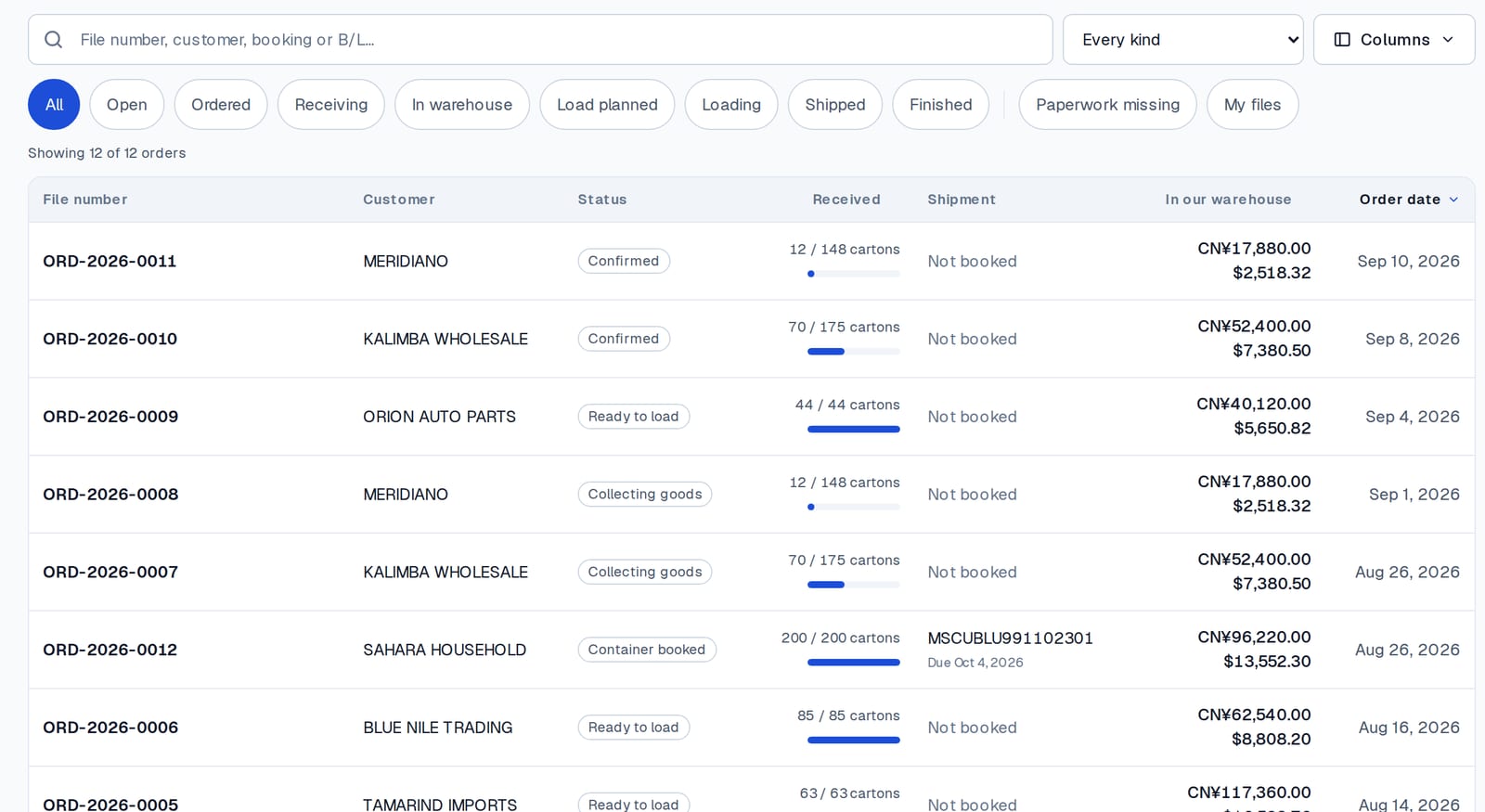
A file is one of three kinds — a market consolidation from many shops, a factory order where one plant fills the container alone, or a freight-only job where you only ship. The same screens serve all three.
Receiving: the count that has to be right
Every carton you receive is counted against the line it was bought on. A line is 50 of 80 received until the last 30 arrive; the file says "1 of 5 lines received" until it can say "everything on this file has arrived". A miscount is corrected on the line, with who corrected it and when.
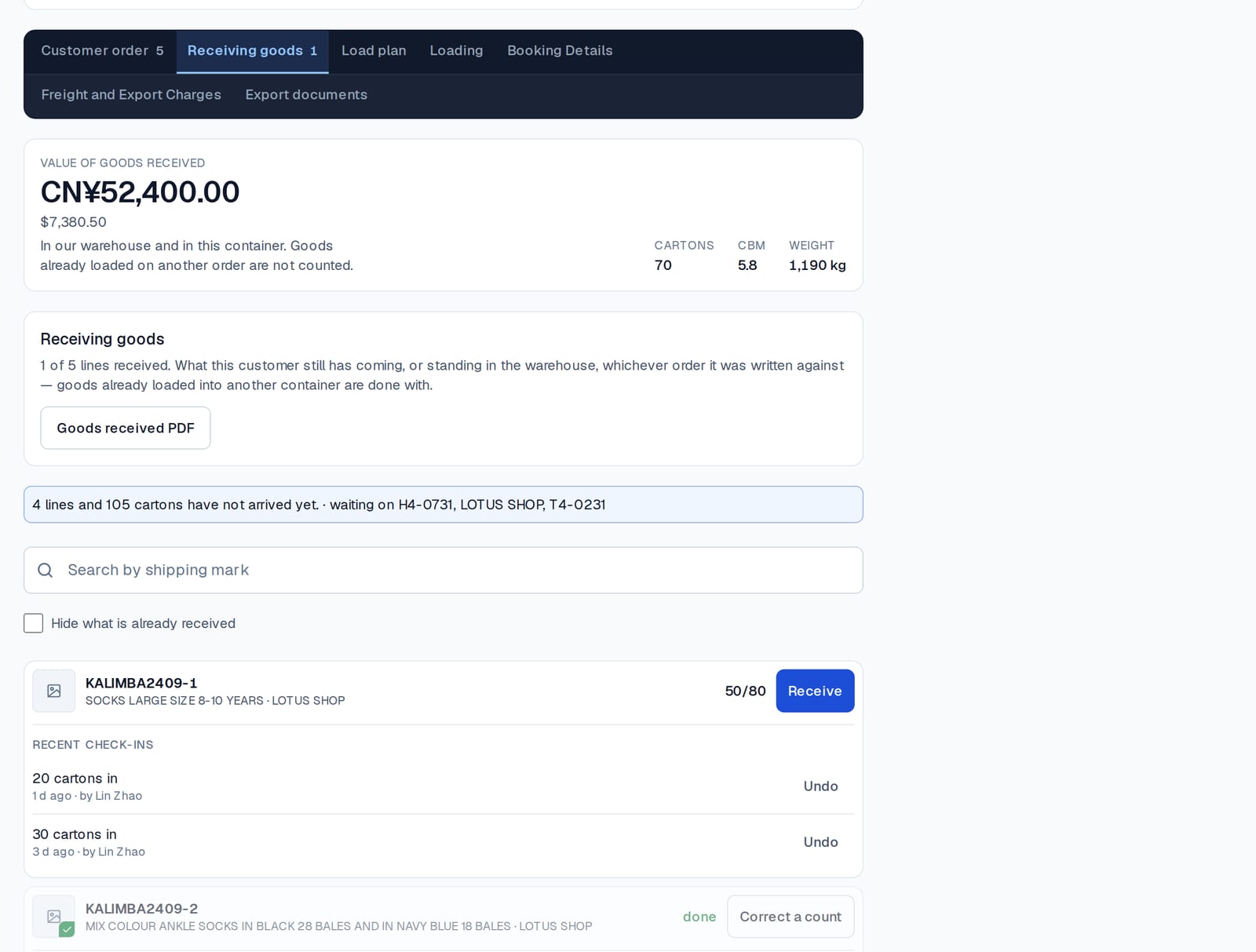
Because receiving is per customer and per line, the warehouse screen can answer the question the customer asks most: what of mine is sitting with you right now, and what is it worth?
Loading: planned, then actual
A load plan is drawn from the customer's stock — the cartons already in the warehouse — against the container's volume and weight. Then the loading screen records what really went in. The two are kept apart on purpose: "40 planned, 15 loaded, 25 short" is a sentence the office needs to be able to say.
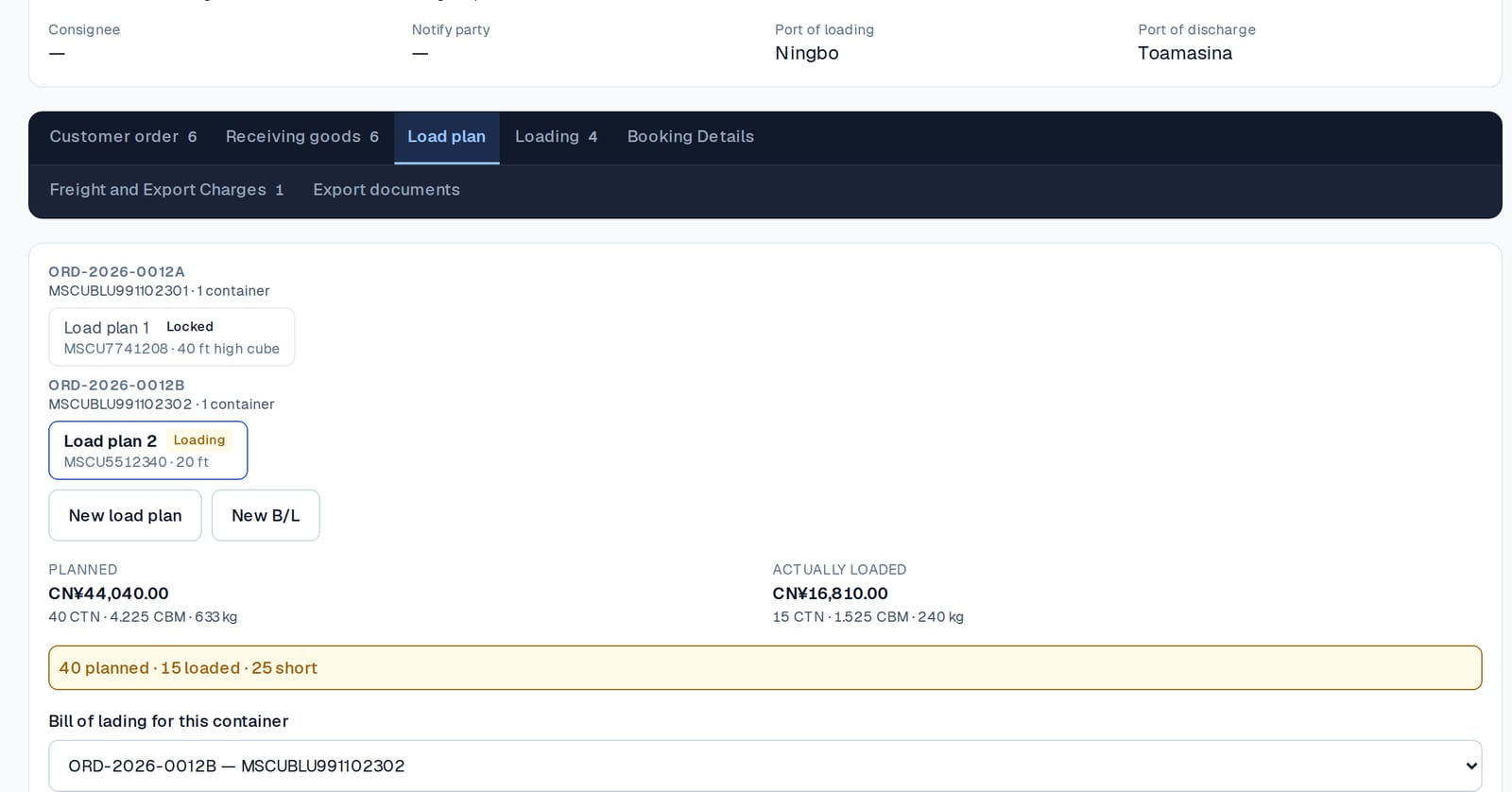
When the doors are shut and the seal is on, the container is locked. After that nothing can be added, taken out or quietly corrected. Why that matters is its own guide.
Documents from the record, not from memory
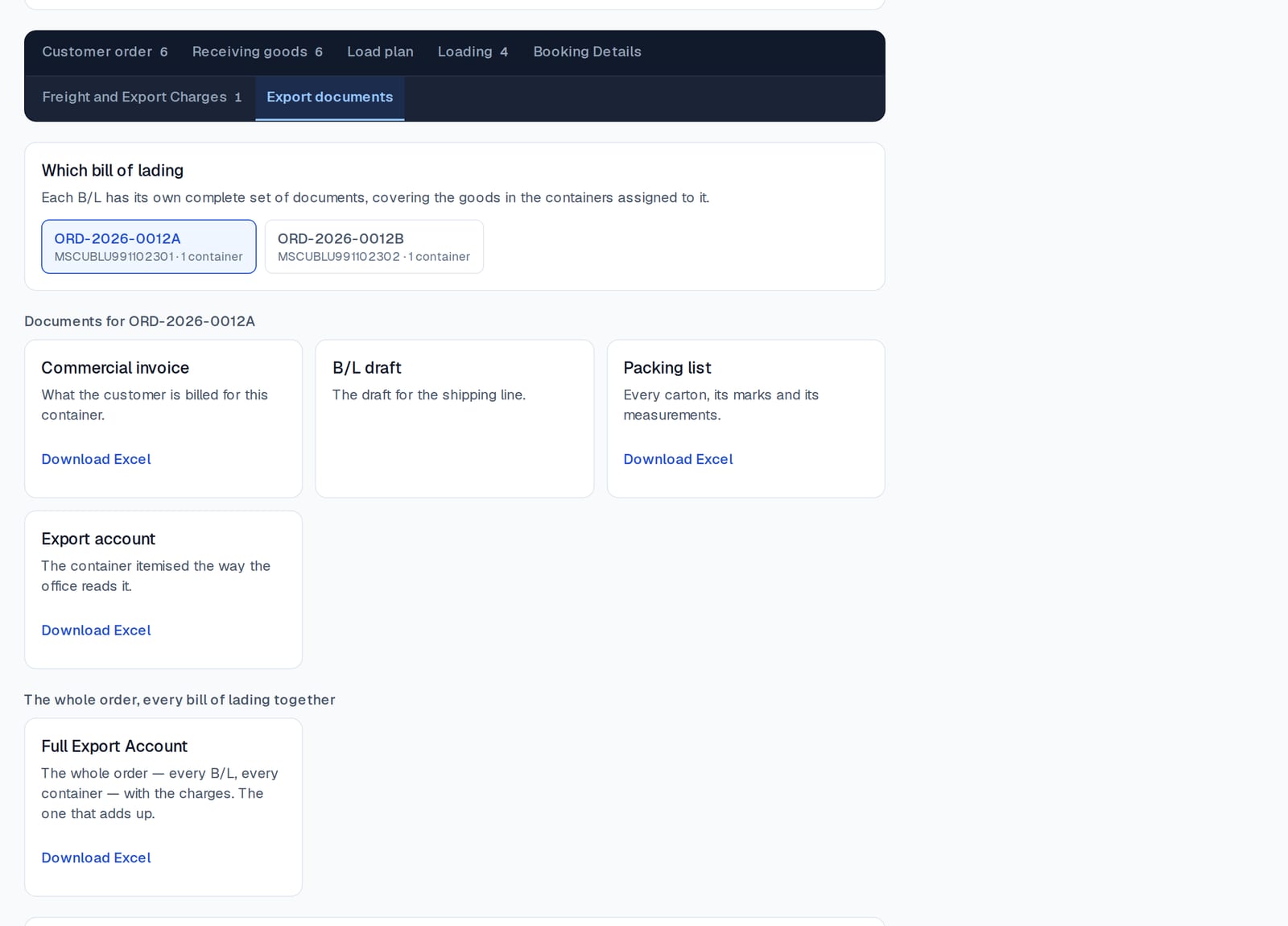
The commercial invoice, the packing list, the B/L draft and the export account are written from the cartons loaded — every carton, its marks and its measurements — one press, as an Excel file. A file with two bills of lading gets two complete sets, and one export account for the whole order.
The customer, without the phone call
Each customer has one statement across every order: what you charged, what they paid, what you paid on their behalf, and the balance. And each customer can be given a page of their own — a short address and a password you hand them once — showing everything you are buying, holding and shipping for them. Both are their own guides: the statement and the customer's page.
What software for this trade must not do
- It must not make you enter a carton twice — once for the warehouse and once for the packing list.
- It must not let a locked container's count change.
- It must not show a customer what you paid the shops, unless you decide it should.
- It must not need a full-time person to run it. Two people in an office and one in the warehouse is the normal team.
Consolly is built to those four rules, in five languages, with each staff member seeing only what you allow.